


Recover Deleted Messages App
4.2739.00 Reviews
App Specs
- Version
- 920.0
- Updated On
- License
- Free
- Downloads
- 10,000,000+
- Developer
- Technoline Apps
- Categories
- Communication
- Platform
- Android, iOS
Screenshots




 Analysis by AppCompare
Ever accidentally deleted a message and immediately regretted it? I get it, been there. That's where the Recover Deleted Messages App swoops in like a superhero to save the day. I decided to give it a spin, and here's all you need to know.
Why It Feels Useful in the First Week
The first appeal is easy to understand: a message disappears, and you want a chance to read it again. An app built around recovering deleted messages and media can feel reassuring right away, especially if you rely on chats for plans, addresses, photos, or quick instructions. I’d treat it as a backup layer for the moments when a conversation changes after you have seen a notification, not as a replacement for keeping important information somewhere dependable.
A realistic example is a friend sending a gate code while you are busy, then deleting the message before you can open the chat. If the app has captured the relevant notification, you may be able to check what was originally shown. That is a useful second chance, but it depends on the message reaching your phone in a form the app can access. It cannot bring back content it never received or make a sender’s deletion reversible inside the original messaging service.
This distinction is worth understanding before relying on any recovery tool. A notification-based record can be helpful for short text, but it may not reproduce the full conversation context. A reply can refer to a previous message, and a recovered fragment may not explain what it means on its own. When something matters, I would use a recovered message to orient myself, then confirm details with the person or in the original chat whenever possible.
What Makes It Worth Keeping Month to Month
The app is most valuable when message loss is a recurring possibility rather than a one-time curiosity. If you regularly receive last-minute changes, temporary details, or media you might need to revisit, having a recovery option available can reduce the pressure to read every notification immediately. The value is quieter after the first week: you may not open it often, but it can be useful when a particular message suddenly matters.
That makes it a different kind of communication utility from a chat app itself. Messaging apps are where you talk, search conversations, and continue a thread. A recovery app is a fallback for selected content that would otherwise disappear from your view. I would not expect it to replace the built-in search or backup tools in your messaging service; those are usually the better first stop when you need a complete conversation, attachments, or context.
For anyone weighing whether it deserves permanent space, I’d ask how often they miss or lose messages and whether they are comfortable keeping the necessary notification access enabled. If deleted-message recovery is an occasional concern, the app can be a low-effort safeguard. If you rarely receive important information through notifications, its day-to-day value may be modest, and the usual chat history or a deliberate note-taking habit may serve you better.
Worth Reading Before You Choose

EA SPORTS FC Mobile 26 Is a Bigger Football Game, but It Takes Time

Flipboard Shows What News Apps Must Do Beyond the Feed

Switching to Android Auto Means Rethinking Your Driving Routine

Google Calendar Makes a Crowded Week Easier to Manage

Ludo King Makes the Most of the Minutes Between Plans

Baby Panda World Brings Quick Play to Modern Phones, but Its Game Library Feels Busy
Setup, Permissions, and the Maintenance Trade-Off
Getting value from a notification-based recovery tool involves more than installing it once. You need to review the access it requests and decide whether that trade-off suits you. Notifications can contain private names, previews, and personal details, so I would check the phone’s permission screen carefully and avoid enabling access casually on a shared or work-managed device. The feature is only useful if the relevant notifications are allowed to reach the app, but privacy should come before convenience.
Notification settings also need to stay consistent. Muted chats, disabled previews, battery restrictions, or changes to the messaging app’s notification behavior can affect what appears on the phone in the first place. I would test the setup with a harmless message from someone I trust, then check what the recovery app actually records before depending on it for anything important. That small check is more practical than assuming every message type will be captured in the same way.
There is a trade-off between broad coverage and a tidier notification setup. Turning off previews may protect privacy on the lock screen, but it can also leave less content for a recovery tool to work with. Keeping previews visible can be convenient, yet it may expose sensitive information to anyone who can see your screen. I’d choose the setting that fits my daily environment rather than changing privacy habits just to maximize recovery.
Where Recovery Can Fall Short
Recovery should not be confused with restoring a message inside its original chat. If a sender removes a message, the app may offer a record of what reached your notifications, but that does not necessarily restore the message for both participants or preserve its place in the conversation. For a complete record, the messaging service’s own backup and export options are generally a better fit, provided you set them up before you need them.
Media deserves extra caution. A notification may indicate that an image, video, or file arrived without giving the recovery app a complete copy that can be opened later. I would not use it as the only safeguard for an important document or photo. Save essential files to a location you control, and use the original chat or a proper device backup when you need dependable access to the full item.
There can also be a mismatch between what a user expects and what a notification can show. Long messages may be shortened in previews, and notifications may be grouped or cleared before you inspect them. A recovery tool cannot reliably fill gaps caused by settings or content that never appeared in notifications. This is why I see it as a useful safety net for certain situations, not a guaranteed archive of every conversation.
Who Should Try It—and Who Should Choose Another Method
I can see this app suiting someone who frequently checks chats on the go, occasionally misses a notification, and wants a convenient way to revisit content that has since disappeared. It may also appeal to people who receive practical details through messaging and want a second chance to read them. The most sensible approach is to test it with low-stakes messages first and keep a separate, reliable backup for anything that would be costly to lose.
I’d skip it if granting notification access feels too invasive, if you keep previews hidden for privacy, or if you need complete chat histories rather than notification-based recovery. In those cases, the better option is to use the messaging service’s built-in backup, export, or search tools, and to save important files directly. Those methods are less immediate, but they are a better match for preserving entire conversations and attachments.
It is also worth thinking about other people’s privacy. A message preview can reveal information sent in confidence, even if you have a practical reason to recover it. I would use the app for my own communication needs, not as a way to monitor someone else’s messages or bypass their expectations. Convenience does not remove the need to handle private conversations respectfully.
Getting Started with Ease
First off, installing the app was a breeze. A quick search in the app store, a tap on download, and I was ready to roll. The app boasts a clean and intuitive interface, so you won't get lost navigating through it. Once you open it, you're greeted with a simple dashboard that lays out all the options in a straightforward manner. No need for a degree in tech to figure this one out!
How It Works
The app primarily works by accessing your notifications and scanning for deleted messages. It's like having a trusty assistant keeping tabs on your chats. You need to grant some permissions, but rest assured, the app doesn't pry into your data beyond what's necessary. I found it rather comforting that the app doesn't store messages on its servers, ensuring your privacy remains intact.
Because this approach depends on notifications, I would think of the permission as the core of the experience, not a setup detail to tap through without reading. Check which notifications your phone allows and whether previews are visible. Then try a harmless test message and see what information is available afterward. That gives you a grounded sense of what the app can do on your own device, instead of relying on assumptions about every chat or media type.
Features You'll Love
Now, let's dive into the features that make the Recover Deleted Messages App stand out. First up, it supports a wide range of messaging apps. Whether you're a WhatsApp, Facebook Messenger, or Telegram user, this app has got you covered. It’s like having a universal remote for all your chat woes.
Another cool feature is the backup option. You can set automatic backups so you won't have to worry about losing important conversations. It's like a safety net for your digital life.
For everyday use, I’d keep expectations practical: the benefit is having a place to check for eligible content, not having to constantly watch the app. If you use several messaging services, a single recovery tool can feel simpler than trying to remember different recovery routines. Still, support for multiple services does not make their notification behavior identical, so I’d verify the result with each messaging app I actually use.
Hands-On Experience
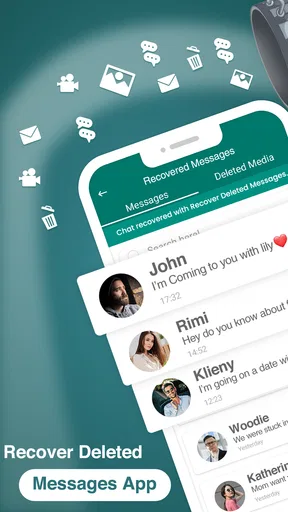
When I tested the app, the recovery process was seamless. I "accidentally" deleted a few messages from WhatsApp, and watched as the app worked its magic. Within seconds, I had my messages back, and the app even highlighted the recovered texts so I knew exactly what had been restored. It was like witnessing a magic trick unfold!
In practice, I’d avoid treating a quick successful test as proof that every future message will be recoverable. A useful habit is to check important recovered text soon, while the surrounding conversation is still fresh, and copy any critical detail into a more dependable place. That keeps the app in its proper role: a convenient prompt and recovery aid, rather than the only record of plans, work instructions, or personal information.
Things to Keep in Mind
While the app worked like a charm for me, it's worth noting a couple of things. If you're using an older phone or an outdated OS, the performance might not be as smooth. Also, the app relies on notifications, so if you have them turned off, it might not capture the deleted messages. Just a heads up!
The app is free to install and is rated for Everyone. Technoline Apps is the developer, and its communication tool has an average rating of 4.4 from around 100,000 ratings, with more than 10 million installs. It was released on November 21, 2020, and version 915.7 requires Android 7.0 or later. Those details make it accessible to many Android users, though I would still check that the current version and permission choices fit my own phone before making it part of a routine.
There are in-app purchases ranging from $6.99 to $49.99 per item, so I’d decide what I need before paying for anything. The basic question is whether the free experience handles the occasional recovery I care about. I would not buy an upgrade simply because the idea sounds reassuring; first I’d test the app with ordinary, non-sensitive messages and see whether its results justify the added cost for my habits.
Long-term, the main source of fatigue is not necessarily opening the app; it is managing the expectations around it. If I have to keep changing notification settings, wondering whether a preview was captured, or checking it compulsively, the safety net stops feeling convenient. I’d keep it only if it quietly fits my normal phone setup and provides value when I actually need it.
Final Thoughts
All in all, the Recover Deleted Messages App is a handy tool to have in your arsenal. It's user-friendly, efficient, and does exactly what it promises. Whether you're prone to accidental deletes or just want some peace of mind, this app is worth checking out. It’s like having a safety net for your messages, and who doesn’t want that?
If you’re ready to stop sweating over lost messages, give this app a go. Trust me, you’ll thank yourself later!
My longer-term verdict is more measured than that closing enthusiasm: I’d recommend trying it if deleted notifications are a real, recurring annoyance and you are comfortable with the access it needs. I would not make it the sole home for important conversations or files. Used as a modest backup layer, it can earn its place; if it demands privacy compromises or creates more checking than peace of mind, the messaging app’s own backup tools are the better choice.
Pros
- Easy recovery of deleted messages.
- Supports multiple messaging platforms.
- User-friendly interface.
- Quick scan and recovery process.
- No root access required.
Cons
- Limited free version features.
- Potential privacy concerns.
- Ads can be intrusive.
- Occasional crashes reported.
- Not all messages recoverable.
FAQs for Recover Deleted Messages App
What types of messages can Recover Deleted Messages App restore?
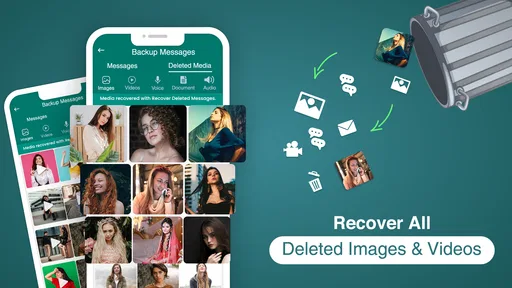
Recover Deleted Messages App is designed to restore a variety of message types, including SMS, MMS, and chat messages from popular apps like WhatsApp and Messenger. It effectively recovers accidentally deleted texts and media, ensuring you can retrieve important conversations and attachments with ease.
Is the app compatible with both Android and iOS devices?
Yes, Recover Deleted Messages App is available for both Android and iOS platforms. It is designed to work seamlessly across different versions of these operating systems, ensuring that users on a wide range of devices can benefit from its capabilities.
Does using the app guarantee 100% recovery of all deleted messages?
While Recover Deleted Messages App is highly effective, it does not guarantee 100% recovery of all deleted messages. The success of message retrieval can depend on factors such as the time elapsed since deletion and whether any new data has overwritten the deleted content.
Is my data secure when using Recover Deleted Messages App?
Yes, your data security is a top priority. The app follows stringent privacy protocols to ensure that your personal information remains secure. It does not store your data on external servers, and all recovery processes are performed locally on your device.
Are there any costs associated with using the app?
Recover Deleted Messages App may offer both free and premium versions. The free version typically provides basic recovery features, while the premium version includes advanced tools for a nominal fee. Users can choose the version that best fits their needs and budget.


